
Keeping a PC running smoothly in 2026 is more challenging than ever. With heavier apps, browser-based workloads, and increasing privacy concerns, traditional PC cleaners often feel outdated.
That’s where IObit Advanced SystemCare 19 steps in. Built with enhanced AI-driven optimization and smarter automation, it aims to deliver faster scans, deeper cleaning, and real-time performance tuning—all with minimal user effort.
But is it actually worth using today? Let’s take a closer look.
What is Advanced SystemCare?
IObit Advanced SystemCare is an all-in-one Windows optimization suite designed to clean, speed up, and protect your PC.
With its signature one-click optimization, users can quickly remove junk files, fix registry issues, and disable unnecessary background processes.
In version 19, the software places a stronger emphasis on AI-driven automation. The improved AI Mode doesn’t just clean—it learns from your usage habits to deliver more precise optimization over time. This means smarter detection of:
- Junk and residual files
- Startup slowdowns
- Privacy traces
- System vulnerabilities
Combined with a cleaner interface and simplified workflow, Advanced SystemCare 19 is clearly built for both beginners and users who want a “set-it-and-forget-it” optimization tool.
Rox.com: A Comprehensive Look at a Modern Digital Platform
Key Features That Make Advanced SystemCare 19 Stand Out
Advanced SystemCare 19 offers a wide range of features and capabilities, making this program more than just a basic PC cleaner. Here are the top features of this program:
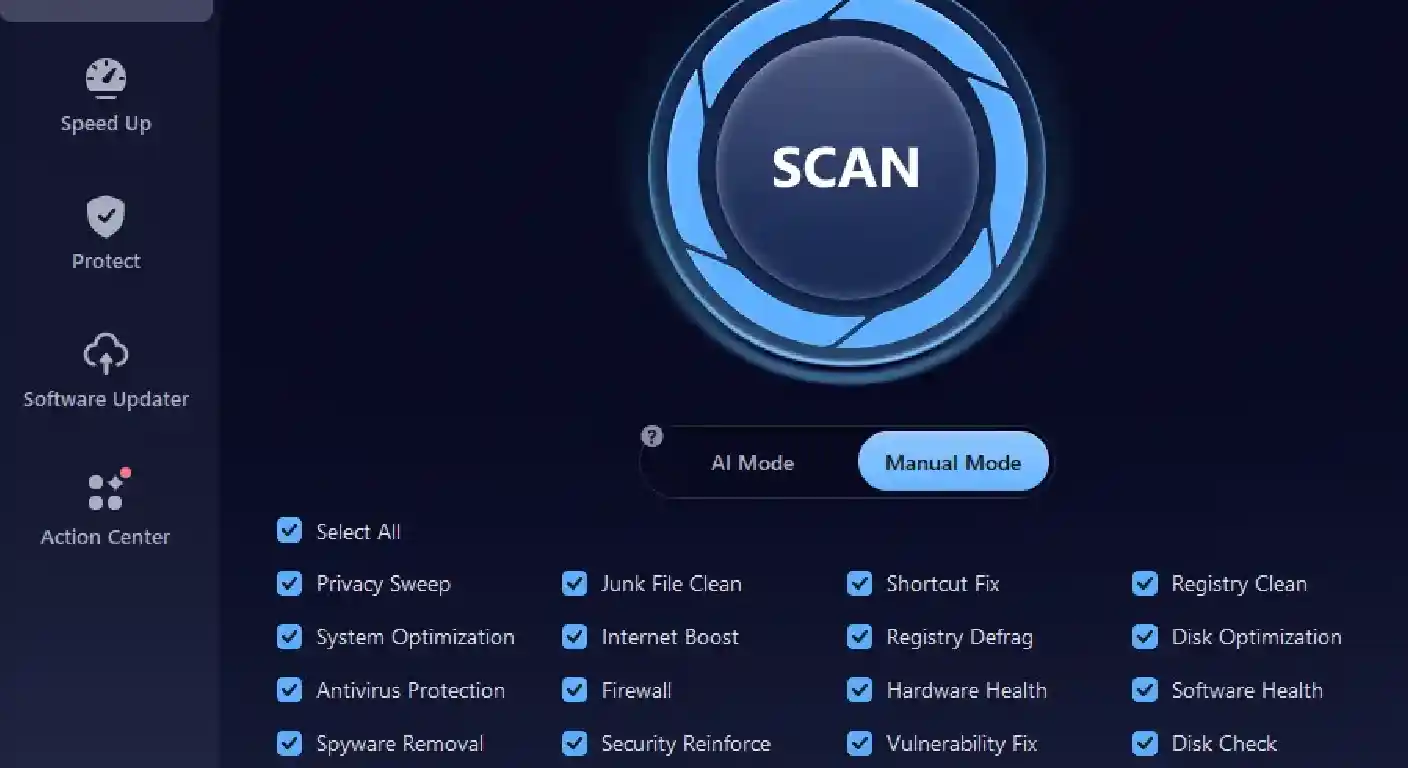
- AI Mode Optimization: Advanced SystemCare 19 uses advanced AI technology to automatically detect and remove unwanted files from your PC, making your device smooth and faster. This mode auto-detects junk files, registry errors, system weaknesses, and more.
- One-Click PC Care: With a single click, the software scans and repairs your PC, cleans up junk, fixes registry issues, optimizes startup items, and protects your privacy, making system maintenance effortless.
- Real-Time System Monitoring: One of the standout features of this tool is that it checks your system health in real-time. It monitors CPU, RAM, disk usage, and system temperature, alerting you to issues before they affect system performance.
- Free Version: Advanced SystemCare 19 offers a free version, allowing users to manage their PC performance without spending a single penny. The free version of this tool offers advanced features, such as AI Mode, Registry Cleaner, Disk Cleaner, App/Extension Cleaner, and more.
- User-Friendly Interface: Advanced SystemCare 19 offers an intuitive and easy-to-use interface, allowing users with no technical knowledge to maintain their PC health without any professional help.
Part 3: Benefits and Drawbacks of Using Advanced SystemCare 19
Understanding the benefits and drawbacks of IObit Advanced SystemCare 19 is essential. The program offers a wide range of benefits to boost your PC’s performance, but it also includes some limitations. Here are the top pros and cons of using this tool:
Pros
- Beginner-friendly with true one-click optimization
- Improved AI-based cleaning accuracy
- Combines performance + privacy + security in one tool
- Noticeable improvements in startup speed and system responsiveness
- Includes useful extras like Turbo Boost and a real-time monitor
Cons
- Advanced features (real-time protection, deep optimization) require the Pro version
- Occasional upgrade prompts in the free version
Part 4: How to Use Advanced SystemCare 19 in 2026
Using Advanced SystemCare 19 is intentionally simple:
- Download and install the program from the official website
- Launch it and select AI Mode
- Click Scan to analyze your system
- Review detected issues (optional)
- Click Fix to automatically optimize your PC
For most users, this process takes only a few minutes and requires no technical knowledge.
Part 5: FAQs Related to Advanced SystemCare 19
1. Is Advanced SystemCare Safe to Use?
Yes, Advanced SystemCare 19 is completely safe to use. It automatically detects and eliminates malware from your device within seconds.
2. Is Advanced SystemCare 19 Free to Use?
Advanced SystemCare 19 is completely free. It offers advanced features such as AI mode, PC cleaner, and more, without spending a single penny.
Final Thoughts
So, is Advanced SystemCare 19 worth it in 2026?
If you want a simple, automated, and AI-enhanced way to keep your PC running smoothly, the answer is yes—especially for beginners or users who prefer minimal manual tuning.
While power users may not need every feature, the combination of ease of use, smart automation, and all-in-one optimization makes it a strong choice intoday’s PC maintenance landscape.